How to Check Sold Items on eBay: Desktop, App and Seller Hub Guide
Learn how to check sold items on eBay using desktop filters, the app and Seller Hub, and what to do when the sold filter goes missing.
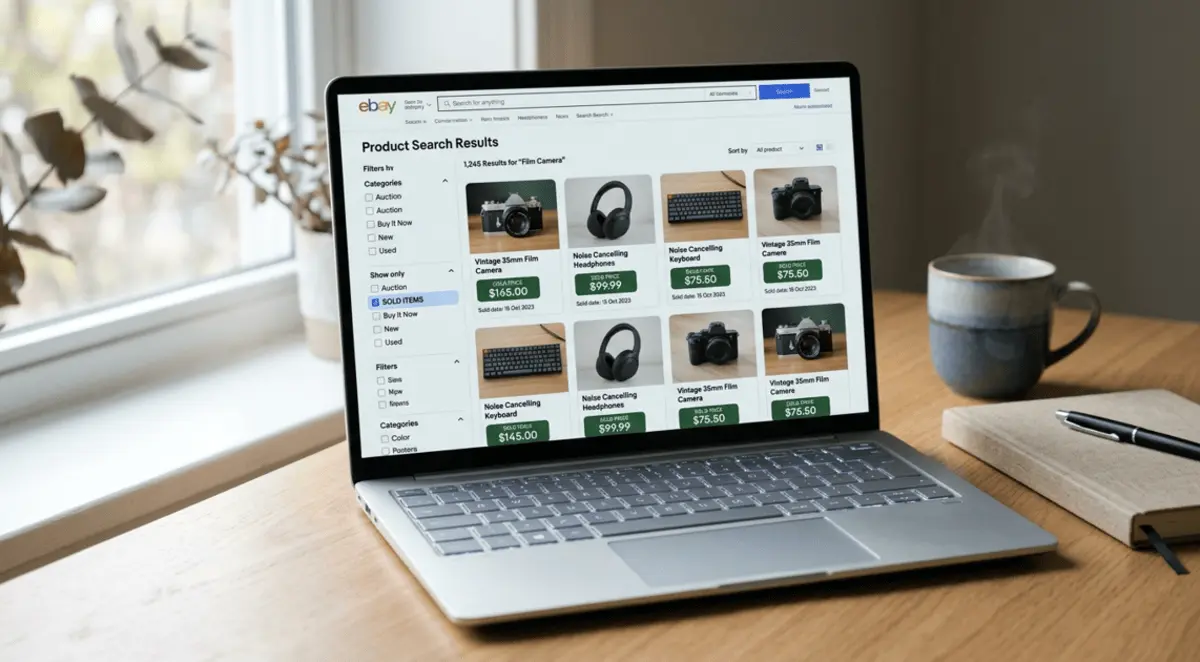
To check sold items on eBay, search for your product, open the filters, and switch on “Sold items.” On a computer, that option sits under “Show only” in the left sidebar. In the eBay app, tap Filter, choose Show more, and toggle Sold items on. The results show listings that sold in roughly the last 90 days, with the price buyers actually paid. To see your own sales, open Seller Hub, go to Orders, and choose a time range of up to two years.
That is the quick answer. Below you will find every method in detail, what to do when the filter vanishes, and how to look further back than 90 days.
What Sold Items Mean on eBay
Sold items are listings that ended with a completed purchase. This is different from “Completed items,” which includes listings that ended without a buyer. If you only want real market proof, stick with sold results. Completed results can make an item look more available, and cheaper, than it really is because unsold listings sit in the mix.
For resellers, dropshippers and small brands, sold data answers three questions fast: what buyers pay, how often an item moves, and which listing formats win.
How to Check Sold Items on eBay on Desktop
Method 1: Use the filter on search results
Go to eBay and type your product into the search bar.
Press Enter to load the results.
Look at the left sidebar and find the “Show only” section.
Tick “Sold items.”
The page refreshes and shows only sold listings. The sold date appears under the price, so you can see how recent each sale was.
Method 2: Use Advanced Search
Open eBay’s Advanced Search page (the link sits next to the search bar).
Enter your keywords.
Scroll to the bottom of the options and tick “Sold items.”
Click Search.
Advanced Search is handy when you want to be precise, for example by excluding words, searching titles and descriptions, or limiting by price.
If the filter does not show up in your browser, refresh the page or try another browser. Some sellers have reported seeing it in one browser but not another after eBay changed its layout.
How to See Sold Items on the eBay App
Open the eBay app and make sure you are signed in.
Search for your item.
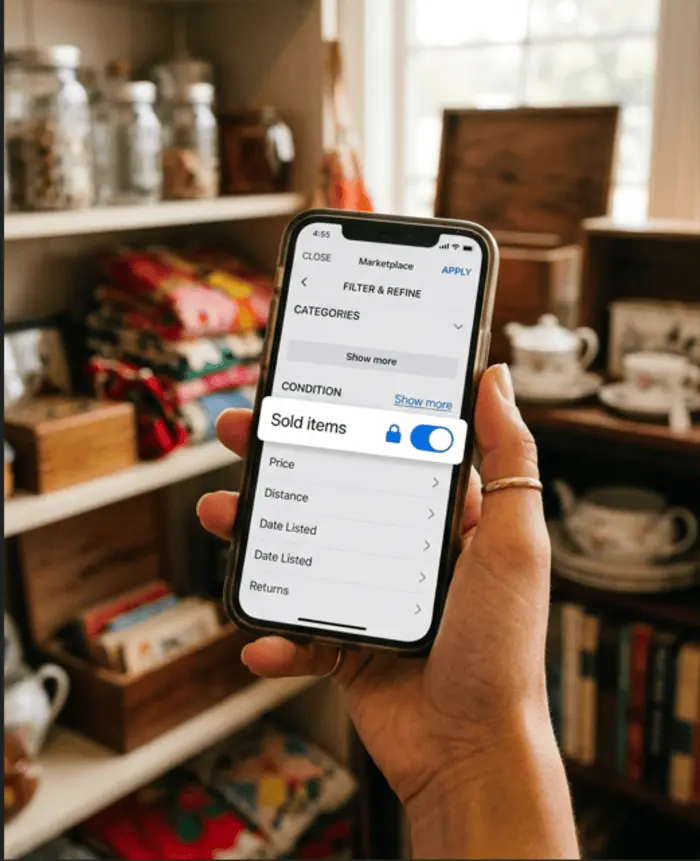
Tap Filter.
Scroll down and tap Show more if you see it.
Switch on Sold items, then tap to show results.
Phone searches are what most resellers use when they are standing in a thrift store checking a price tag, so a faster setup is worth a minute.
Lock the filter so every search shows sold results. In the filter menu, you can enable lockable filters through the Customize option. Pick Sold, then tap the padlock icon until it turns blue. From then on, every search defaults to sold items until you unlock it. This also works as a workaround for image search, which does not offer a sold option on its own. Run a keyword search first, lock the sold filter, then switch to an image search.
How to View Your Own Sold Items on eBay
Everything above shows what other sellers have sold. Your own sales live somewhere else.
On desktop:
Open Seller Hub.
Click the Orders tab.
Choose a time frame, up to two years back.
Filter by buyer or order status if needed, such as awaiting postage or awaiting feedback.
You can also find them in My eBay. Go to the Selling section and select Sold.
On mobile: open the Selling tab and tap the Sold number.
Each sale gets a 12 digit order number, which you can use to track an entire order. The item number stays the same and refers to the listing itself.
How to See Sold Items on eBay Beyond 90 Days
The public sold filter only reaches back about 90 days. If you are researching a seasonal product, say a Christmas decoration that sells in November and goes quiet in March, 90 days can mislead you.
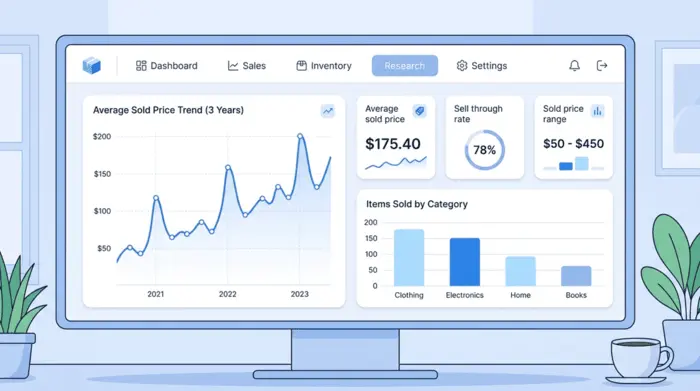
This is where Product Research comes in, the tool many sellers still call Terapeak. eBay describes it as free for sellers with Seller Hub access, and it gives you up to three years of sales data. Here is how to get to it:
Open Seller Hub on desktop.
Click the Research tab at the top.
Choose Product Research.
Enter a keyword or product ID, then pick a date range.
It also exists in the eBay app. You may need an active listing, or a sale within the last 90 days, before the tool opens up.
Product Research has two advantages over the standard filter. First, it can show the final accepted price on Best Offer listings, which the public search does not always make clear. Second, it calculates metrics for you: average sold price, sold price range, average shipping cost, number of sellers and sell through rate. Eligible sellers also get Sourcing Insights to guide what to buy and stock.
Why You Can’t See Sold Items on the eBay App
When sellers say the sold option has disappeared, the cause is usually one of these:
It is tucked under Show more. Many app versions hide Sold items until you expand the filter list. Check Customize and turn on the option that expands all filters.
You are using image search. Sold results are not offered directly from camera searches. Use the keyword plus padlock method described earlier.
You are not signed in. An eBay moderator has advised signed in status as a first check.
The app needs a clean install. Delete it, restart your phone, install the latest version, and try an active search again.
An update reset your settings. Updates sometimes change default filters, so re-enable what you need.
If none of that works, test the website on your phone’s browser to confirm it is an app issue, then report it through eBay’s app boards.
Did eBay Remove the Sold Filter?
No. eBay has said it has not removed the ability to search sold or ended listings. What happens is that layout changes move the option or hide it, which makes it look gone. Sellers have posted about it vanishing from the desktop sidebar, from seller store pages, and from some app versions, and in several cases eBay fixed the issue afterward. If it is missing for you, work through the fixes above before assuming it is permanently gone.
How to Read Sold Listings Like a Pro
Finding sold items is step one. Reading them correctly is what protects your margins.
Compare like with like. Match brand, model, condition, size and included accessories. A used phone with a cracked screen and a boxed one with accessories are different products.
Ignore the outliers. One sale at triple the usual price is a lucky buyer, not a market. Look at the cluster of prices and use the middle of that cluster.
Add shipping to the picture. A listing with free postage and one that charges for it can land at the same total cost for the buyer. Compare totals.
Check sell through rate. Take sold items and divide by active listings for the same search. If 30 items sold while 120 are active, your sell through rate is 25 percent, meaning about one in four listings found a buyer in that period. A high price with a low sell through rate is a slow seller.
Watch for returned or cancelled orders. Sold lists can include sales that did not stick, so treat the numbers as a strong guide, not a guarantee.
Search by exact phrasing. Product Research responds to specific terms, so “Nike Air Force 1 Low White size 10” gives far cleaner data than “Nike shoes.”
Can You See Everything You Sold on eBay?
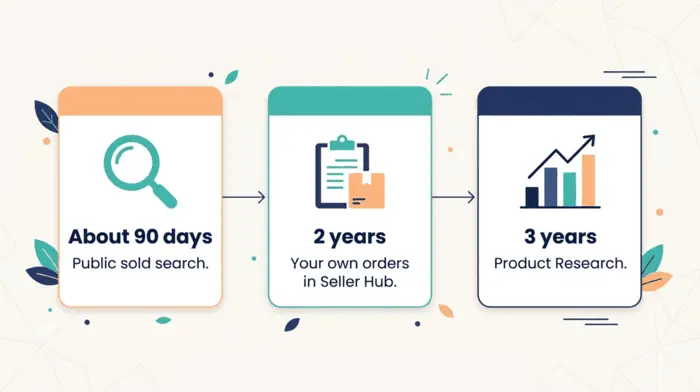
Not forever. Seller Hub and My eBay keep two years of your sales history. If you need records beyond that, for tax time or bookkeeping, download your reports regularly and save them. For a full picture of what other sellers sold, public search covers about 90 days, and Product Research covers up to three years.
Why Are So Many People Leaving eBay?
Sellers cite a handful of recurring reasons: rising fees (final value fees and promoted listing costs), high shipping costs that squeeze small sellers, a dispute process many feel favors buyers, and competition from other marketplaces. In August 2026, eBay’s CEO Jamie Iannone said on an earnings call that the company has no current plans to change its fees in the United States. Whether a shift in fees is coming or not, the lesson for sellers is the same: know your numbers. Sold data helps you price at a level that survives the fees.
Quick Answers
Can you find out what items sold for on eBay? Yes. Search for the item, turn on the sold filter, and read the prices. For older data, use Product Research in Seller Hub.
How do I view my selling items on eBay? Active listings appear in the Selling section of My eBay or the Listings tab in Seller Hub. Items you have sold appear under Orders in Seller Hub or Sold in My eBay.
How do I set eBay to show sold items by default? In the app, enable lockable filters through Customize, select Sold, and tap the padlock until it turns blue.
How do I see sold items on eBay in one sentence? Search, open the filters, and toggle Sold items on.
Final Thoughts
Learning how to check sold items on eBay takes about a minute, and it is one of the most reliable habits you can build before you buy stock or publish a listing. Use the public sold filter for quick checks, Seller Hub for your own records, and Product Research when you need longer trends. At Scale Bay Commerce, we encourage sellers to treat sold data as the starting point for every pricing decision, because the market, not a guess, should set your price.
Want a managed eBay store instead of another side project?
ScaleBay Commerce runs the store operations — product research, listings, suppliers, customer service, and account health — while you fund the sourcing budget.
Not guaranteed income. Results vary by store, capital, account health, and platform conditions.